Deployment Overview
Choose the Apple management channel that matches the Vylos behavior your organization needs to deploy.
Three Separate Management Layers
Vylos supports app policy, device-wide VPN, and per-app VPN through separate Apple mechanisms. They can be deployed independently or combined on the same managed device.
| Goal | Apple mechanism | How it reaches the device |
|---|---|---|
| Control Vylos restrictions and preferences | Managed App Configuration | MDM assigns a configuration dictionary to the managed Vylos app. |
| Install a device-wide WireGuard tunnel | com.apple.vpn.managed configuration profile | MDM delivery or direct .mobileconfig installation. |
| Route selected managed apps through WireGuard | com.apple.vpn.managed.applayer plus assignment | MDM installs the tunnel and associates managed apps with its VPNUUID; direct installation alone cannot assign apps. |
Managed App Configuration is not a VPN profile, and a VPN profile does not automatically manage Vylos preferences. This distinction prevents an app-policy dictionary from being mistaken for an installable .mobileconfig file.
App Policy
Managed App Configuration is the canonical reference for all supported configuration keys, value parsing, precedence, refresh timing, and the complete example dictionary. Manage Restrictions explains the user-visible effect of each enforced capability.
Any non-empty managed dictionary bypasses Vylos app-lock authentication because device access is organization-controlled. It does not bypass the restrictions in that dictionary.
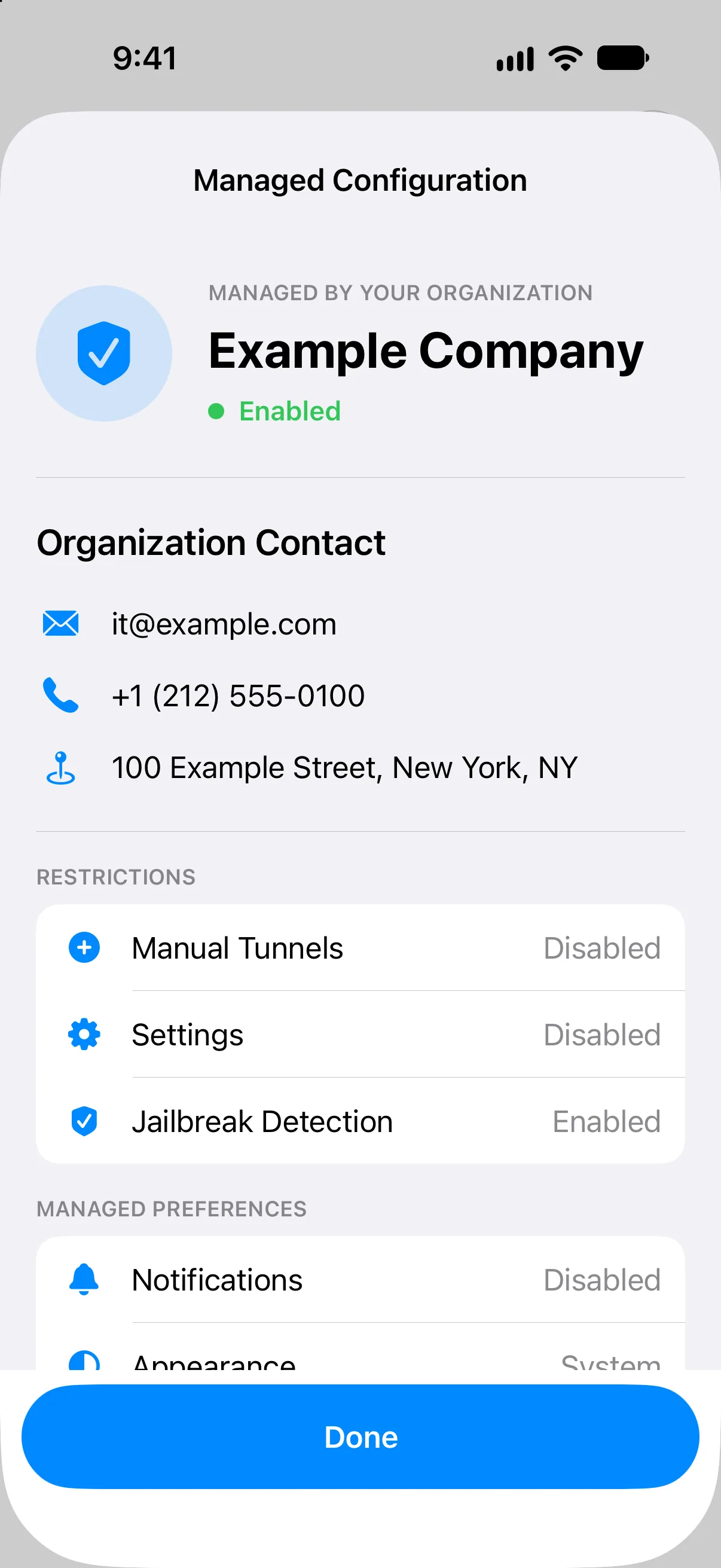
When configuration is active, Vylos shows supplied organization contact details first, followed by restrictions and managed preferences. Users can review the values but cannot change them inside Vylos.
Managed VPN Tunnels
Deploy with .mobileconfig Profiles contains the canonical device-wide and per-app payload examples, including WgQuickConfigBase64. Deploy Managed Tunnels explains how profile-owned tunnels appear and behave in Vylos.
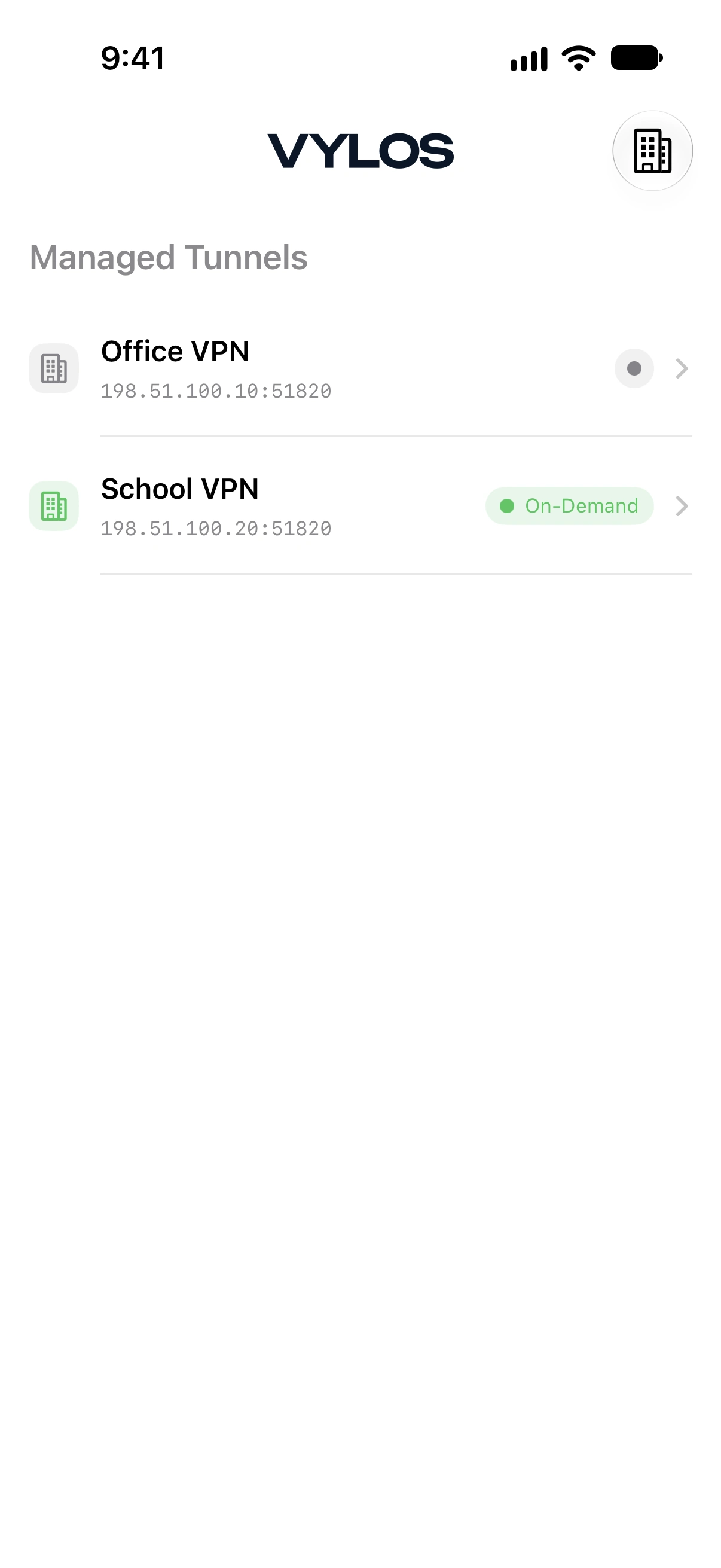
Vylos displays both tunnel types in a dedicated read-only section. Users can inspect status, routing scope, bandwidth, Split DNS, and On-Demand behavior without editing the organization-owned configuration.
Per-App Routing
Production per-app routing requires MDM-managed application assignments on iOS, iPadOS, and visionOS. macOS uses a managed app-mapping payload alongside the AppLayerVPN profile.
Configure Per-App VPN explains VPNUUID assignments, application replacement and removal, supported routing fields, and what Vylos can display. Installing the AppLayerVPN profile without those assignments creates the VPN entry but does not select application traffic.
Refresh and Delayed Delivery
Vylos reads Managed App Configuration at launch and when its scene becomes active or returns to the foreground. It also checks for newly published VPN profiles every two seconds for up to 30 seconds after returning to the foreground because Apple may expose a delivered profile after a short delay.
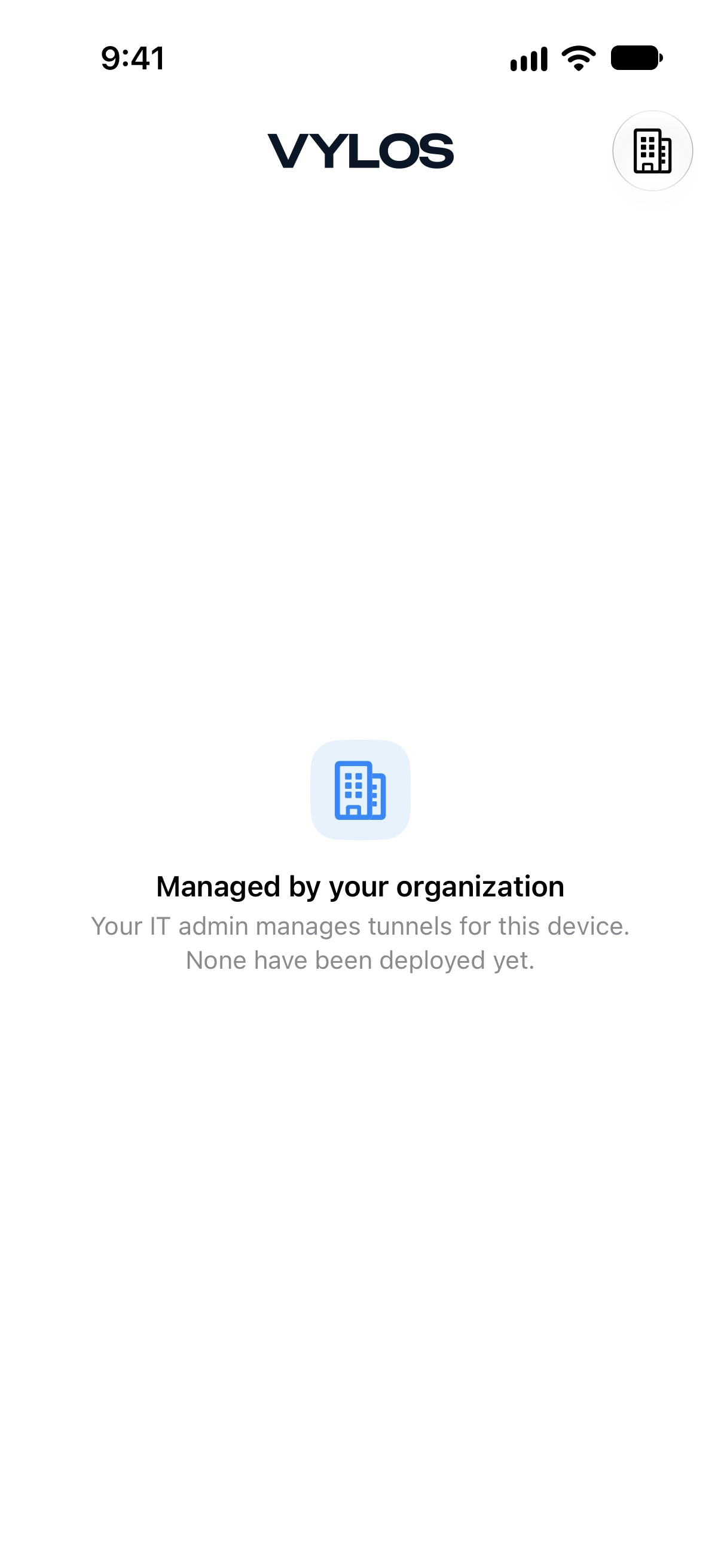
When app policy disables manual tunnels but no managed VPN has arrived, Home explains that the organization has not assigned a tunnel. It does not show the generic empty-state message intended for an unmanaged user.
Deployment Checklist
- Install or assign Vylos as a managed app when you need Managed App Configuration or per-app routing.
- Choose device-wide or per-app VPN and build the matching
.mobileconfigpayload. - For per-app VPN, associate each target managed app with the tunnel's
VPNUUID. - Add only the Managed App Configuration keys your organization intends to control.
- Launch or foreground Vylos and verify the policy values, managed tunnel, and routing scope it reports.
Removing a managed app assignment, app-configuration dictionary, and VPN profile are separate administrative actions. Update each layer your deployment used so stale application routing or policy does not remain on the device.